Get Acquainted with the Enhanced Deck Editor Experience in Pokémon TCG Live


An Enhanced Deck Editor Experience in Pokémon TCG Live
Whether you’re new, returning after some time away, or a regular player logging in daily, the Deck Editor is always an integral part of the Pokémon TCG Live experience. Over the past few months, we’ve made a wide variety of improvements and additions to the Deck Editor, and just in time for all your World Championships deck building needs, even more changes are coming to the Deck Editor in the latest update! With so much change (often as a result of your requests and feedback), it can be tough to keep track of everything, so in case you missed something or just need a refresher, here’s a breakdown of both recent and upcoming Deck Editor improvements, all in one convenient place!
New Changes Coming in the Next Update
More Deck Editor updates are landing as part of next week’s release, and we’ve made sure to include even more requested functionality. While there’s more on the horizon, we’re excited to get these latest changes in the hands of our players now:
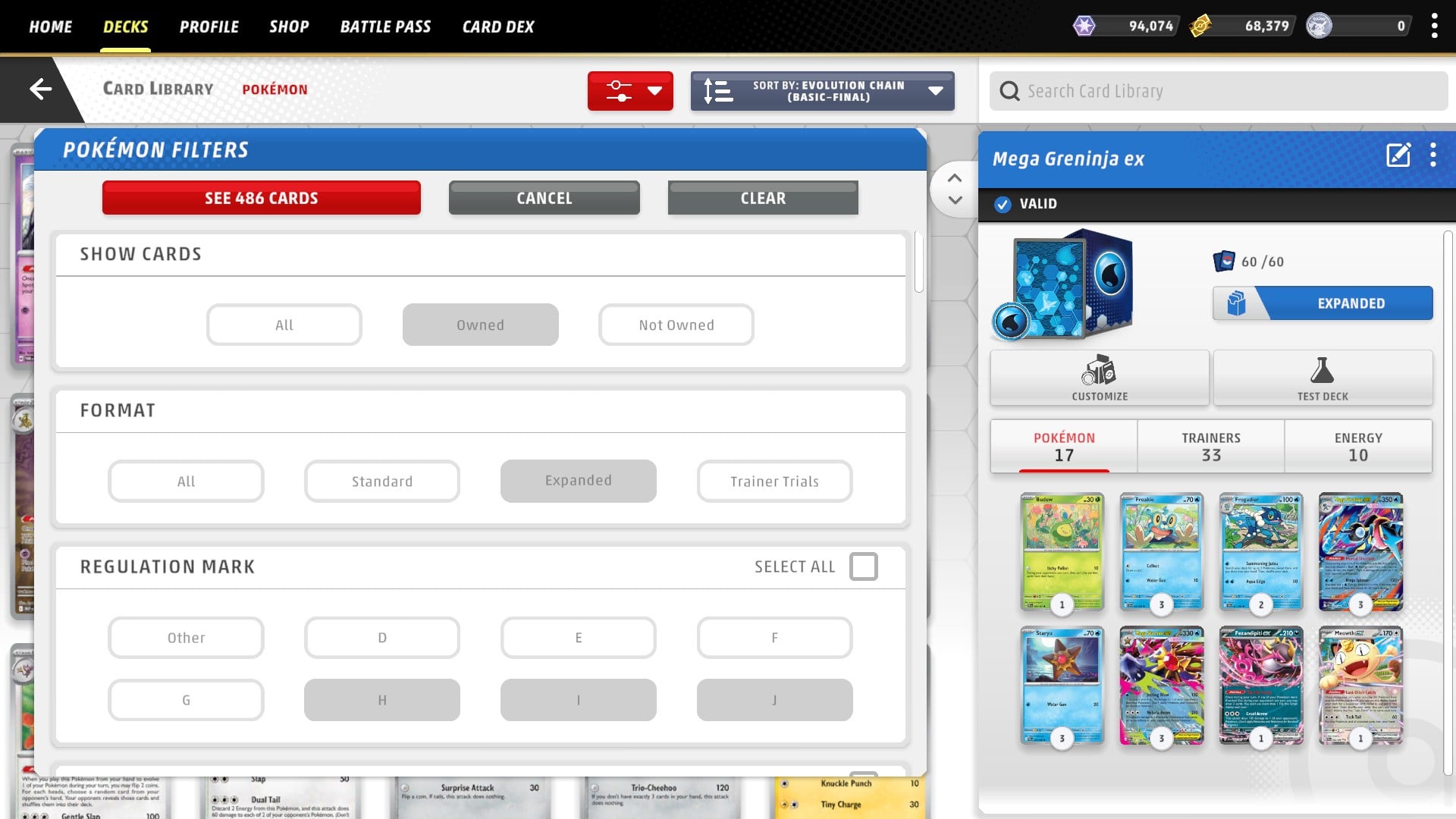
- Even more card filtering options, including regulation mark and rarity.
- Card highlighting is here! Cards will now be highlighted upon inspection in multiple areas of the Deck Editor, including the variant drawer, the recently added full-screen deck view, and in Big Card View while scrolling.
- Enjoy an easier time building decks for specific game modes on landscape devices, without the need to filter cards by format within the Card Library.
Recent Features Added to the Deck Editor
In case you missed them, we’ve made some highly requested feature additions to the Deck Editor in recent game updates, including:
- Full-screen deck view on landscape devices: Easily see the full list of all cards in your deck at once and export the list directly without changing or toggling views.
- Win/loss stats for decks: When viewing a deck, you can now see your total wins and losses with it, as well as the calculated win rate.
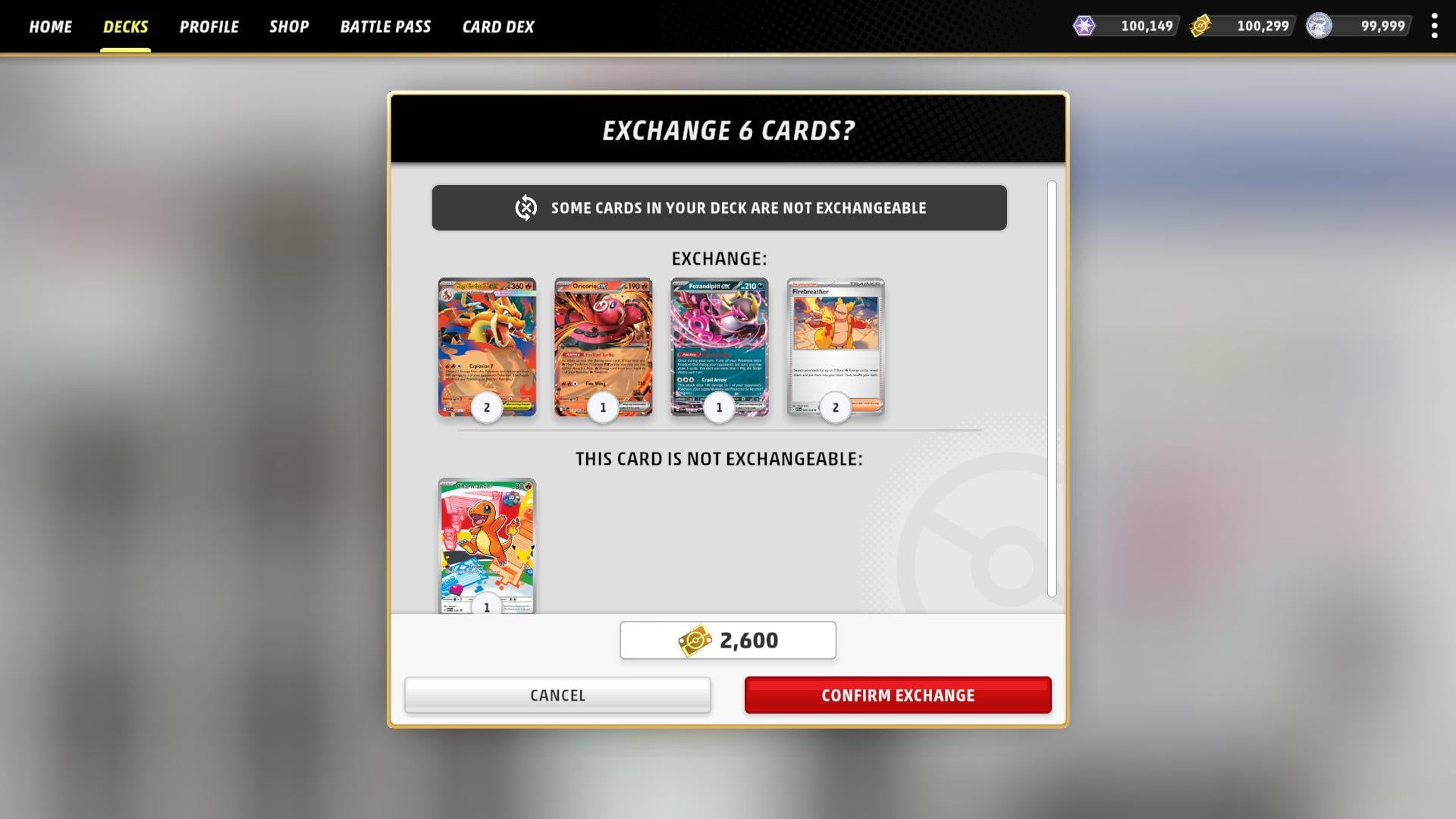
- Exchange All button: Tired of needing to exchange all your unowned cards one at a time? With the Exchange All button, you can now exchange everything at once, saving you significant time and repetitive actions.
Quality of Life Updates to the Deck Editor Experience
Beyond the new features, we’ve also made some great quality of life changes to the Deck Editor experience. Brewing up cool new decks will now be easier than ever.
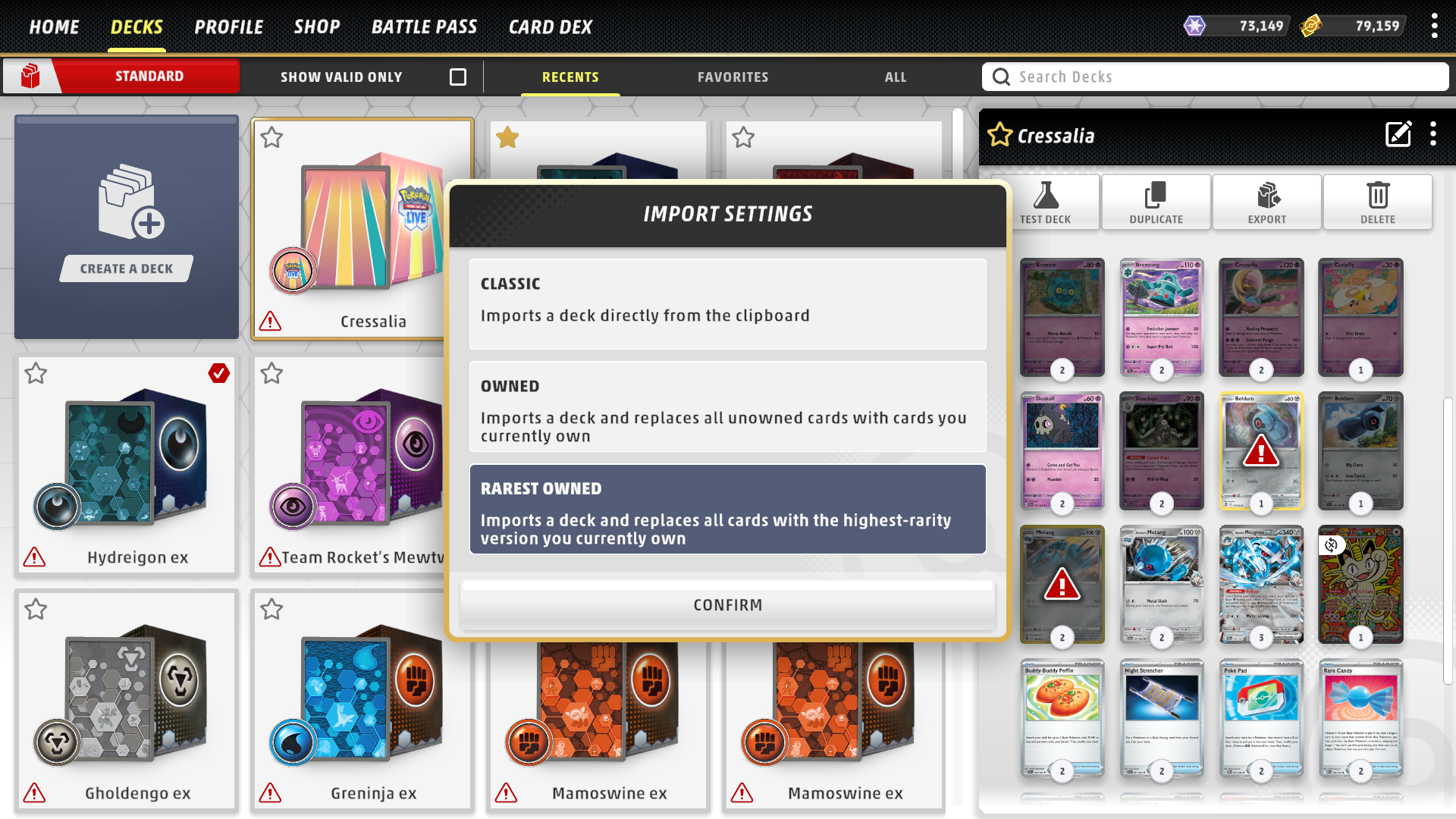
- You can now choose between multiple import experiences when importing a deck from an external deck list.
- Continue importing cards as-is with the direct setting, or choose to auto-select either owned cards or rarest owned cards.
- We’ve removed auto-cycling from Big Card View.
- The experience will no longer auto-close and select the next card automatically when the card count is reduced to zero.
- We’ve added new visual cues to make it clearer what cards you do and don’t own.
- Unowned variant cards are darkened in the rarity selection menu.
- Card states start darkened when unowned, leaving the invalid icon solely for invalid states.
- Certain cards have new unexchangeable icons. When an unowned, unexchangeable card is in the deck, you’re given more details on validation information.
- We’ve added a deck validation section to the Deck Editor’s deck panel when a deck is invalid to better inform players why a deck is invalid, as well as what changes they’ll need to make to address those issues.
- Other improvements that make creating and editing decks even more intuitive include updated icons and detailed information on why a deck is invalid in a given play format.
Enjoy the New and Improved Deck Editor
We continue to recognize the importance of the Deck Editor to the Pokémon TCG Live gameplay experience, and we hope players are enjoying the changes made to this experience over the past few months. We hope you’ll remain excited for what’s still to come, as even more changes that continue to improve upon the Deck Editor and deck management experience in Pokémon TCG Live will be included in future updates. We look forward to hearing your thoughts on these changes as you get the chance to try them out.
Have fun editing your decks to be the very best they can be!